By Shokat, founder of AuraLocal and RankProximity, with 14 years in local SEO. Last updated November 9, 2026. Prices checked October–November 2026.
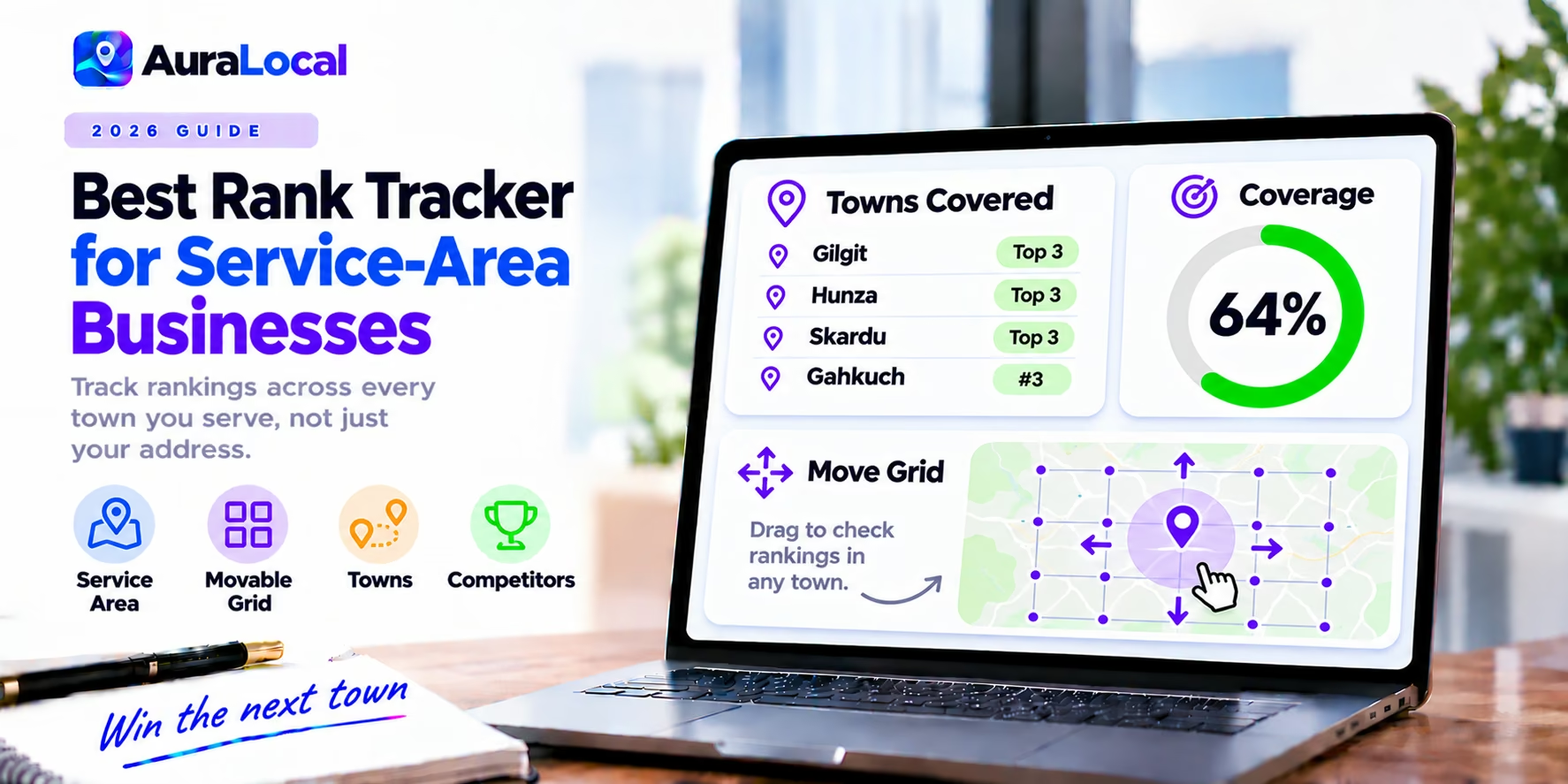
A service-area business (SAB) such as a roofer, plumber, locksmith, cleaner or mobile mechanic goes to the customer. Many hide their address on Google and list the towns they serve instead. That creates a tracking problem: a standard rank check around your address shows where you rank near your house, not across the 20-mile area where your customers live.
This guide explains how to track a service area properly and compares five tools. If geo-grids are new to you, start with geo-grid vs traditional rank tracking. AuraLocal is our product, so we've linked every competitor's pricing to its source and named the cases where another tool fits better.
Why SABs rank differently
Google still uses your business location to judge distance, even when your address is hidden. So most SABs rank well near their base and fade with distance. The towns at the edge of your service area are usually where you lose leads, and they're exactly the places a single rank check never looks.
How to track a service area
- 1List the towns or postcodes that bring you the most valuable jobs, not every place you'd drive to.
- 2Track a grid over each important area, not only around your base. Either move the grid or use a tool built for service areas.
- 3Use the searches customers actually make: "roofer near me," "emergency plumber [town]," "[service] [town]."
- 4Compare towns over time. The goal is to push the edge of your top-3 coverage outwards.
What to look for in a tracker
- Movable grids or pins, so you can check areas away from your base.
- Service-area or custom scan shapes, if you cover a large or irregular area.
- Competitors at each point, so you know who owns each town.
- Affordable frequency, because several areas multiply the number of scans.
The 5 best rank trackers for service-area businesses
1. AuraLocal: best for moving the grid to where your customers are
AuraLocal lets you move the whole 7x7 grid to any area, such as a neighbouring town, and move single pins to check specific streets, then re-check just those spots. Click any pin to see the top 5 competitors there. Each profile tracks 10 keywords refreshed every 24 hours, with a 100-point audit (including service and area gaps), post scheduling and AI review replies.
- Pricing: $39 a month for 1 profile, $59 for 10. 7-day trial, no card.
- Watch out for: one grid size; covering several distant towns daily means choosing which area each keyword's grid sits over.
2. Local Falcon: best for large or custom areas
Local Falcon offers ten grid sizes up to 21x21 and dedicated service-area scans, so you can cover a wide region in one scan.
- Pricing: credits from $24.99 a month; larger grids use more credits.
- Compare: AuraLocal vs Local Falcon
3. Local Dominator: best for scheduled area scans with rolling credits
Local Dominator offers service-area scanning, scheduled scans and white-label reports, with credits that roll over on Pro and above.
- Pricing: $39 to $399 a month.
- Compare: AuraLocal vs Local Dominator
4. Whitespark Local Ranking Grids: cheapest occasional checks
Grids up to 15x15 from $10 a month in credits, useful for monthly checks of a few towns.
5. GMB Everywhere: free spot checks by town
Teleport lets you check rankings from any location on demand, which is handy for a quick look at a town before you decide where to focus. It doesn't track over time.
At a glance
| Tool | Move grid or pins | Service-area scans | Max grid | Daily tracking cost (1 profile, 10 keywords) |
|---|---|---|---|---|
| AuraLocal | Yes, whole grid and single pins | Move grid to any area | 7x7 | $39 |
| Local Falcon | Set grid centre | Yes | 21x21 | $49.99 |
| Local Dominator | Set grid centre | Yes | Multiple sizes | $59 |
| Whitespark | Set grid centre | No dedicated mode | 15x15 | About $50 |
| GMB Everywhere | Any point, on demand | n/a | n/a | Not offered |
Daily cost on a 7x7 grid; larger grids cost more on credit-based tools. Prices checked October–November 2026.
How to grow your service area on Google
- Add every service with a clear description, and list the areas you serve on your profile.
- Publish a page for each main service and each key town on your website.
- Ask customers in outer towns for reviews that mention the job and the place.
- Post photos of completed jobs in those areas.
- Track the edge of your coverage monthly to see whether it moves.
Frequently asked questions
How do I track rankings if my address is hidden?
Use a geo-grid tracker centred on, or moved over, the areas you serve. Google still uses your underlying business location for distance.
Can I rank in towns far from my base?
Yes, but it's harder. Strong relevance and prominence (reviews, service pages, mentions) can extend your reach, and tracking those towns shows whether it's working.
What grid size should a service-area business use?
7x7 over each priority town works for most; larger grids suit wide rural areas.
The bottom line
Service-area businesses need to see rankings where their customers are. Choose a tracker that lets you move or reshape the grid, track your most valuable towns, and watch the edge of your coverage grow.
Run a free AuraLocal visibility scan and move the grid over the town you most want to win. The 7-day trial needs no credit card. Related: best local SEO tools for home services · best local rank trackers and AI visibility tools.
About the author
Shokat has worked in local SEO for over 14 years. He founded RankProximity, a local SEO and Generative Engine Optimization agency, and built AuraLocal to give local businesses and agencies one place to track, diagnose and act on their Google Maps and AI visibility. See his agency's results at rankproximity.com/case-studies.
Sources
- Local Falcon pricing, checked November 9, 2026
- Whitespark Local Ranking Grids, checked October 2026
- BrightLocal geo-grid tool comparison guide, for Local Dominator
- GMB Everywhere pricing, checked November 9, 2026
Want to Improve Your Local Visibility?
Track rankings, monitor reviews, and grow your Google Business Profile with AuraLocal.
Get StartedRelated Articles
Continue exploring local SEO insights.