Help Center & User Guide

Everything you need to get the most out of AuraLocal — from your first sign-up to tracking keywords, AI visibility, and managing reviews.

How to Import a Business from a Google Account in AuraLocal

  1. 1Click the "Add Business Profile" button.
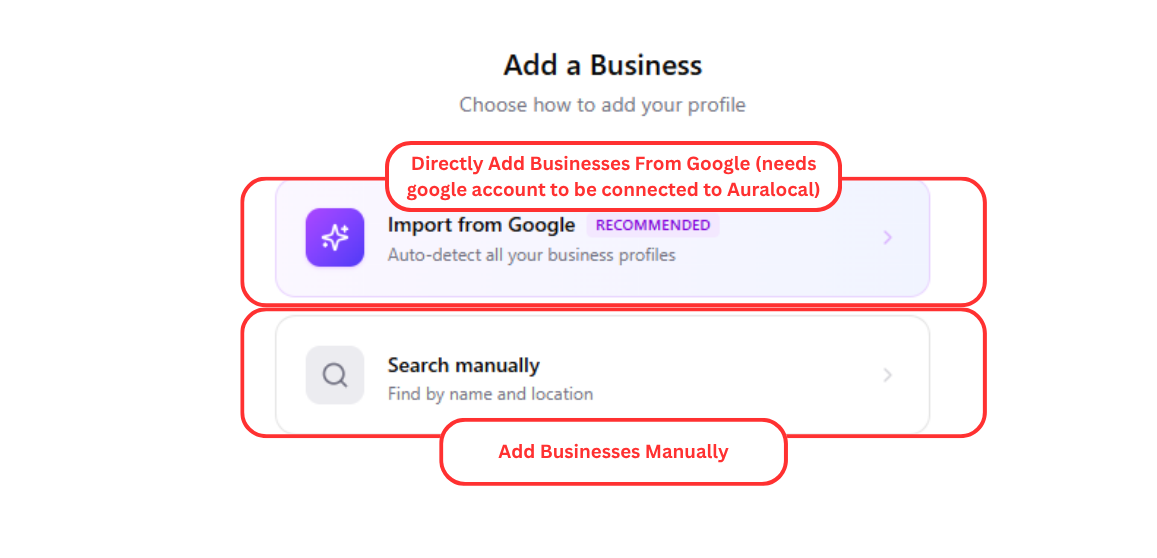
  2. 2Select "Import from Google."
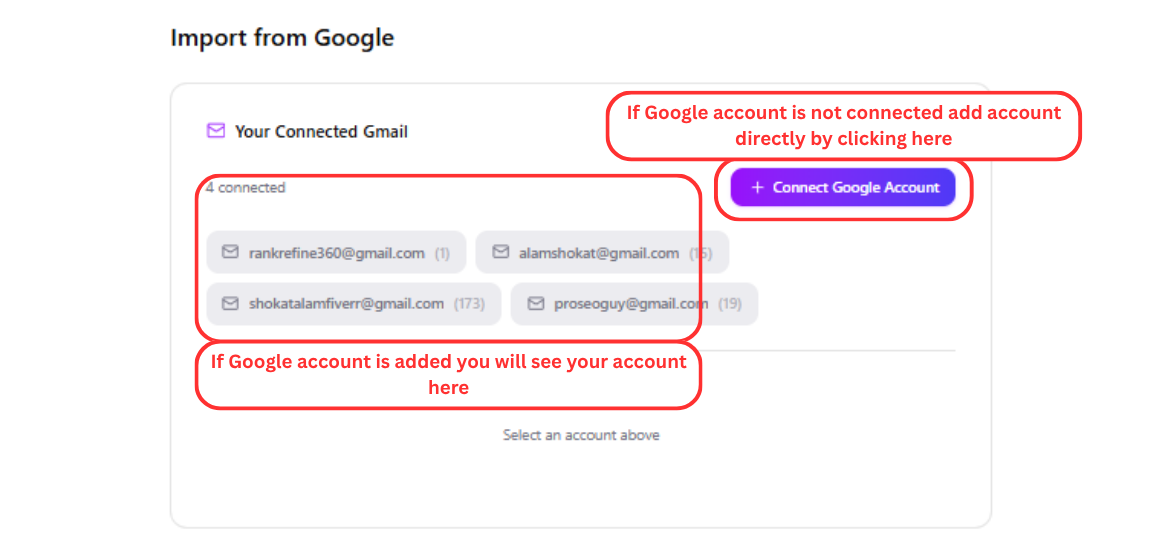
  3. 3If your Google account is not connected, click "+ Connect Google."
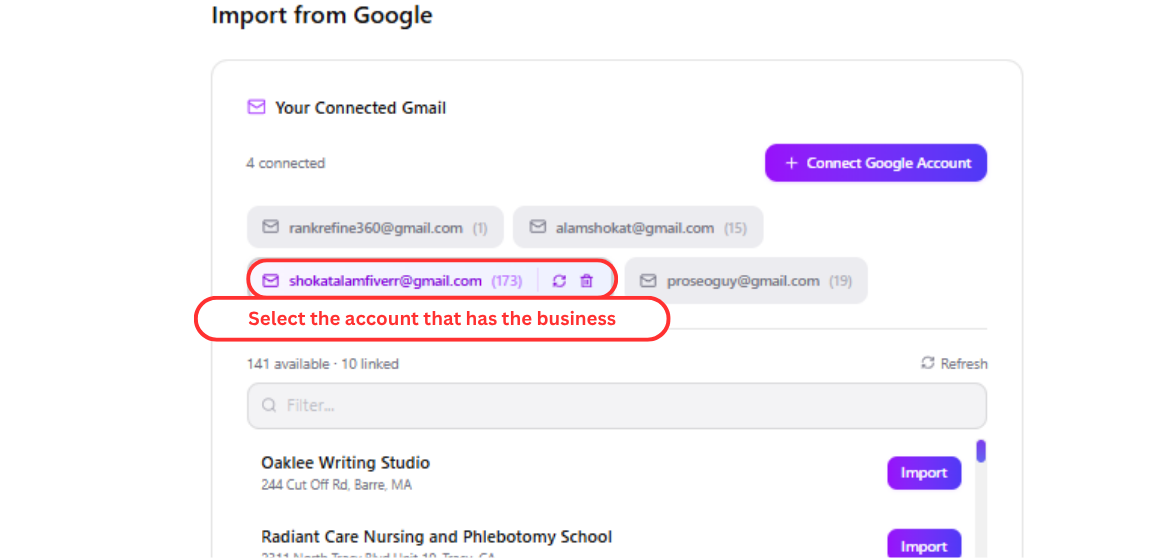
  4. 4Select the Google account you want to use.
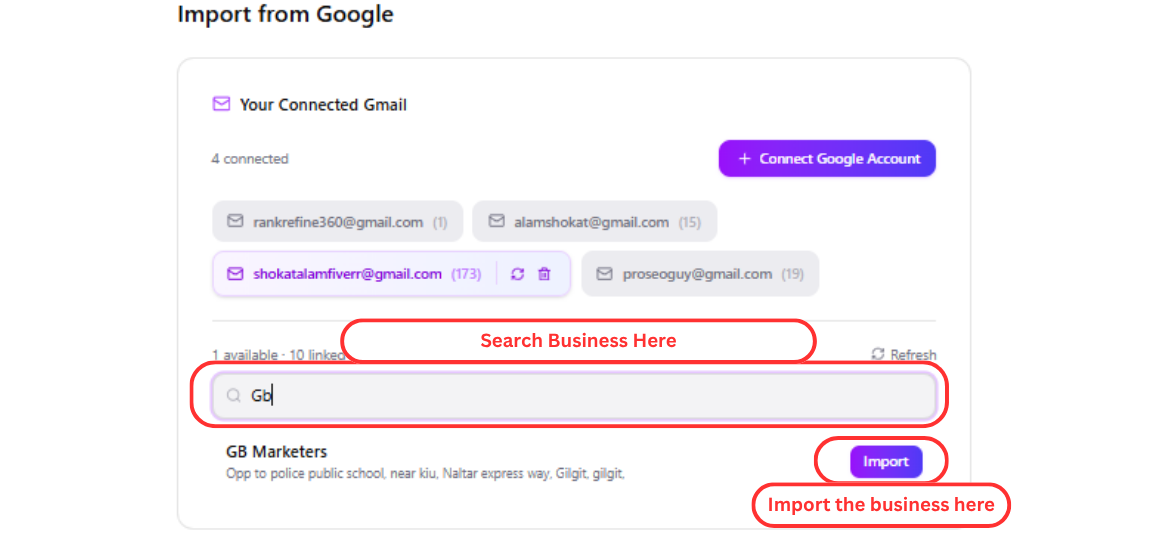
  5. 5Search for the business you want to import. Select the business and click "Import" to complete the process.
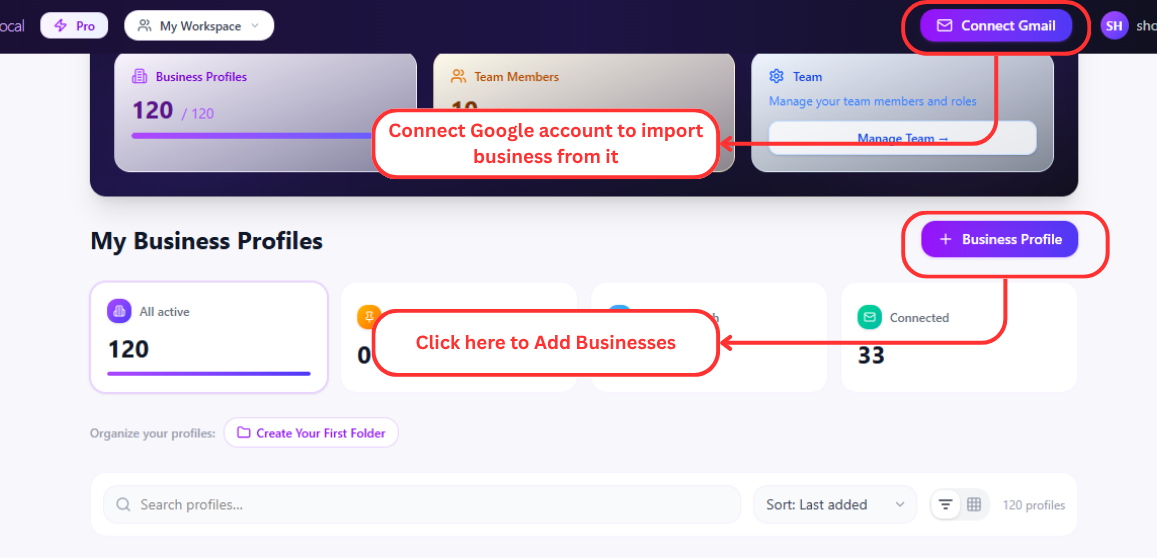
Add Business Profile button in AuraLocal
Import from Google option in AuraLocal
Connect Google account in AuraLocal
Select Google account to import business from
Search and import a business from Google in AuraLocal

Need help? Email us at support@auralocal.com, or browse the rest of this guide under Help → User Guide.