Back to BlogBest Practices

How to Import a Business from a Google Account in AuraLocal

A step-by-step guide to connecting your Google account and importing a business into AuraLocal in just a few clicks.

AuraLocal TeamAugust 14, 20261 min read
How to Import a Business from a Google Account in AuraLocal

How to Import a Business from a Google Account in AuraLocal

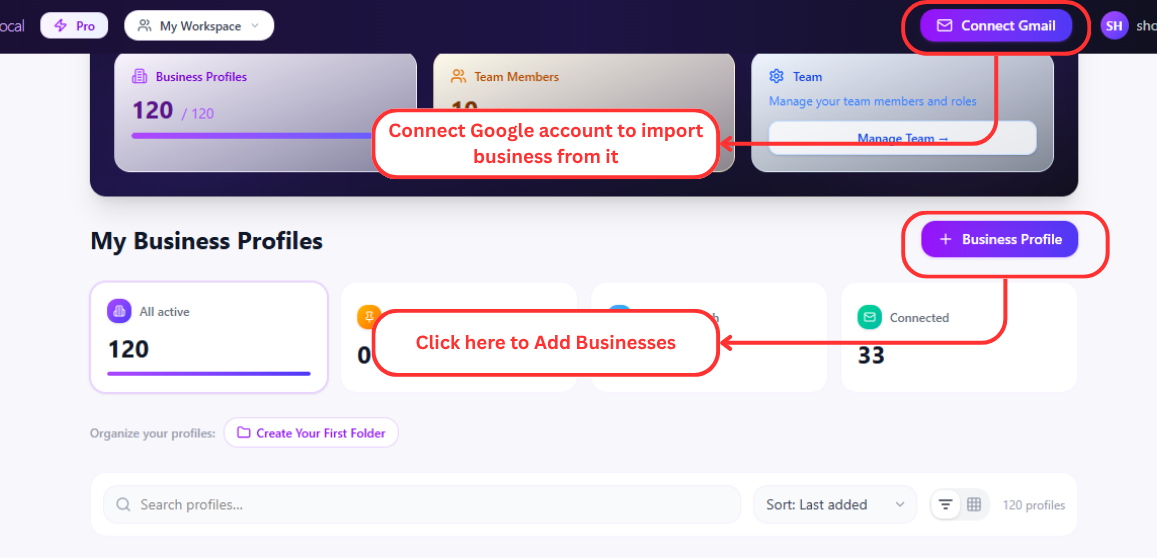
  1. 1Click the "Add Business Profile" button.
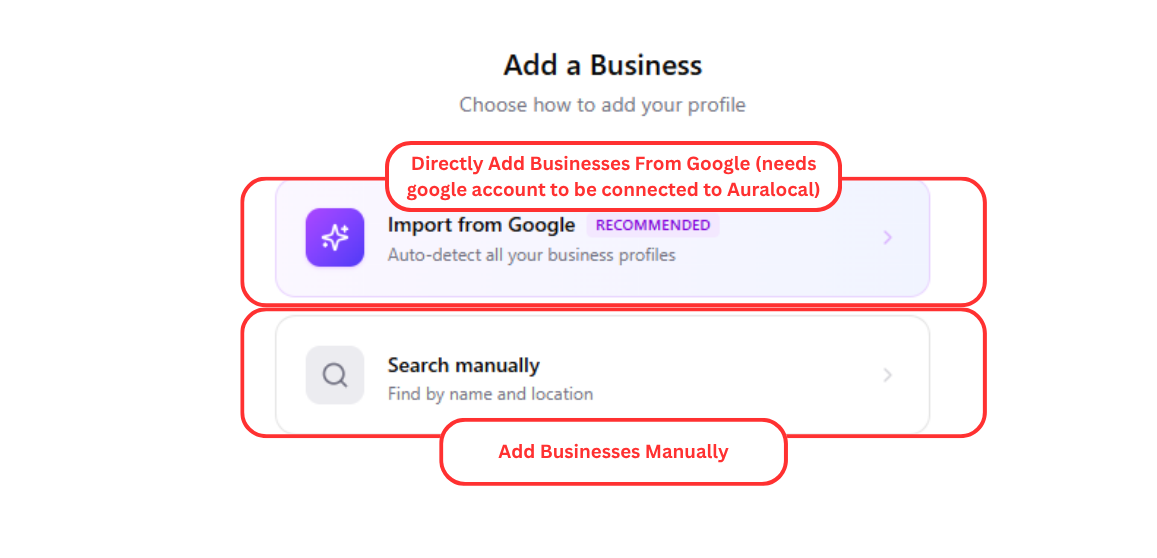
  2. 2Select "Import from Google."
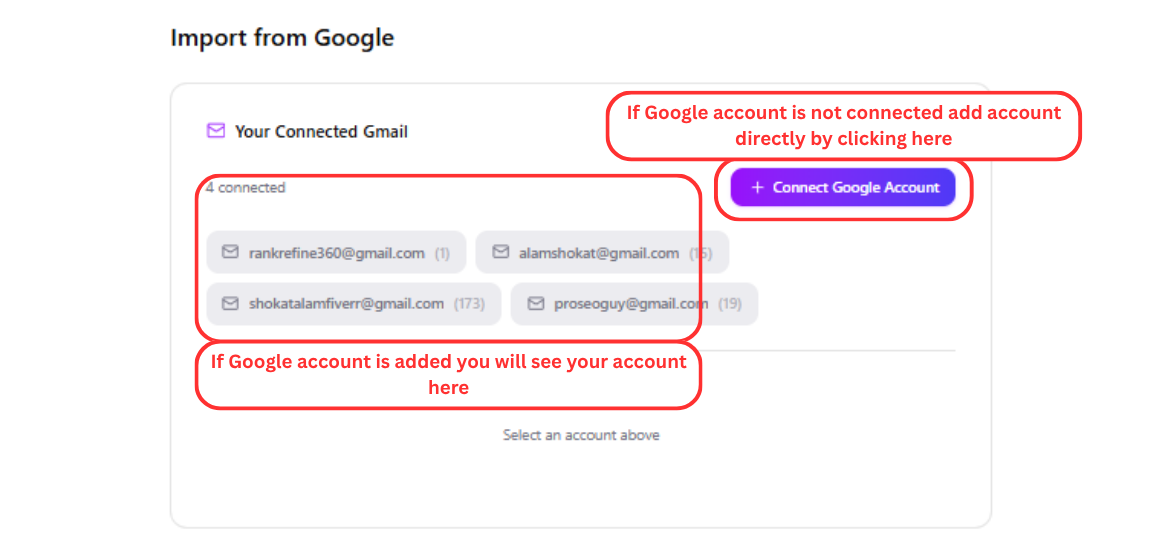
  3. 3If your Google account is not connected, click "+ Connect Google."
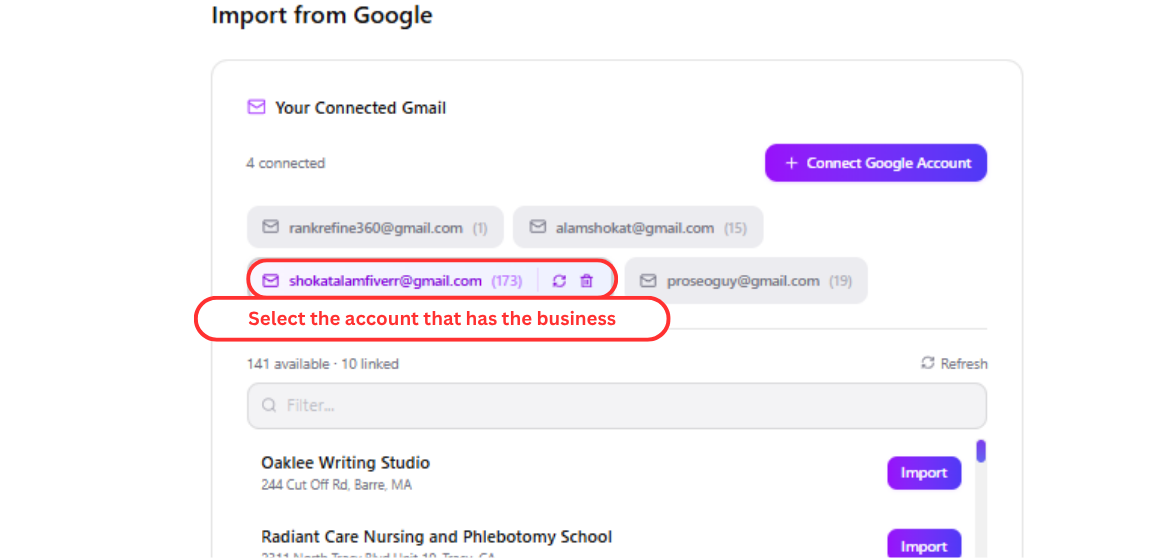
  4. 4Select the Google account you want to use.
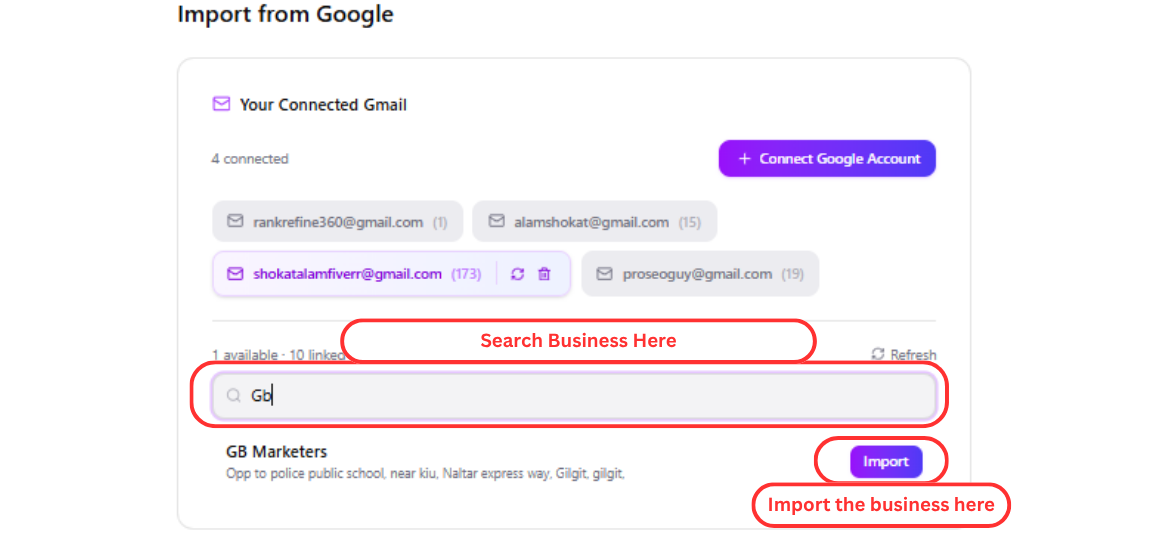
  5. 5Search for the business you want to import. Select the business and click "Import" to complete the process.
Add Business Profile button in AuraLocal
Import from Google option in AuraLocal
Connect Google account in AuraLocal
Select Google account to import business from
Search and import a business from Google in AuraLocal

Need help? Email us at support@auralocal.com, or browse the rest of this guide under Help → User Guide.

TagsAuraLocalLocal SEO

Want to Improve Your Local Visibility?

Track rankings, monitor reviews, and grow your Google Business Profile with AuraLocal.

Get Started

Continue exploring local SEO insights.

View all